Setup Payments
Any product requires money to exist. Therefore, Payments are a crucial part of your product. ProductFlame integrates Stripe to help you deliver payments.
Configure Payments
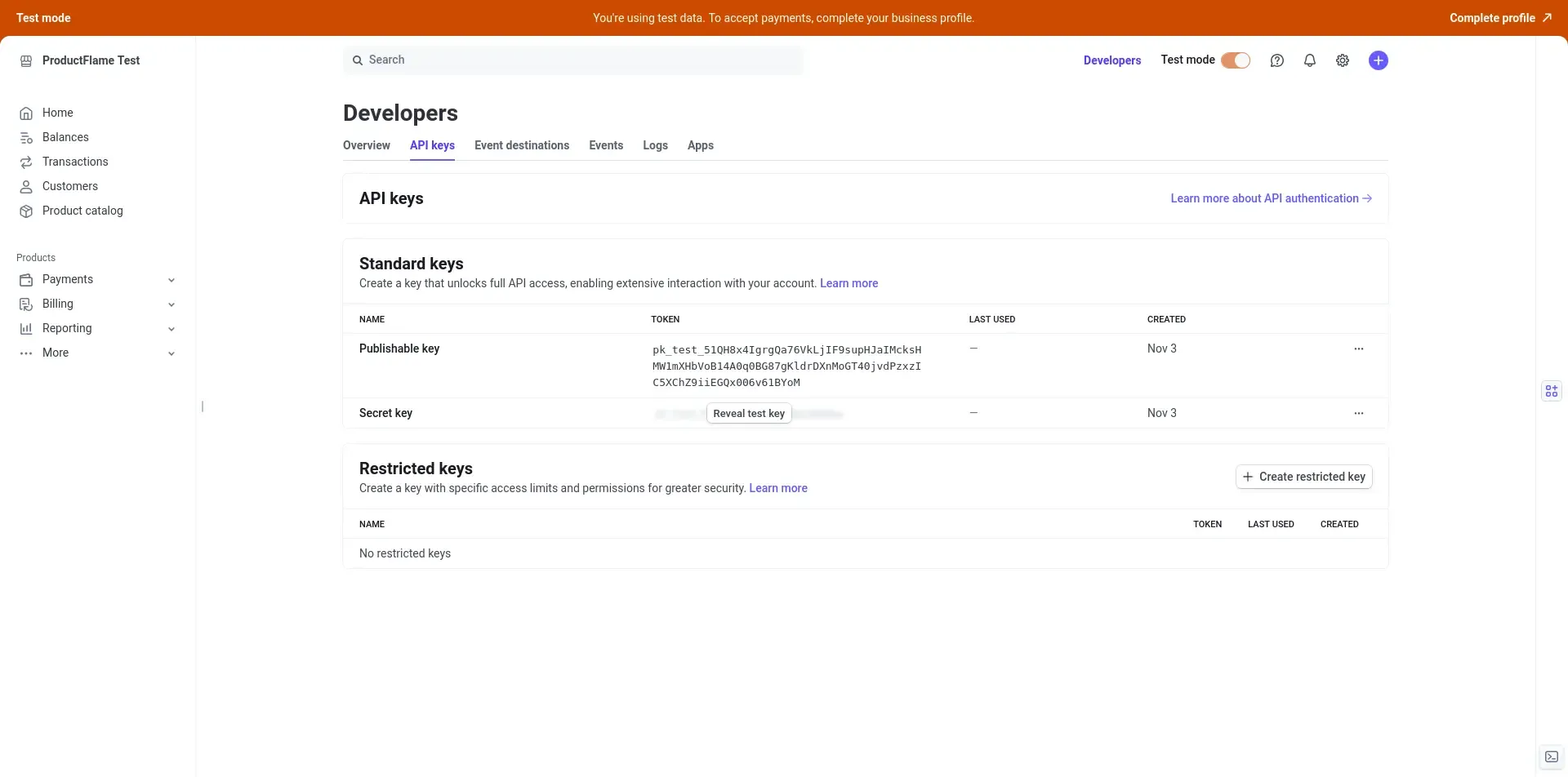
Section titled “Configure Payments”- Get your public and private keys from Stripe.
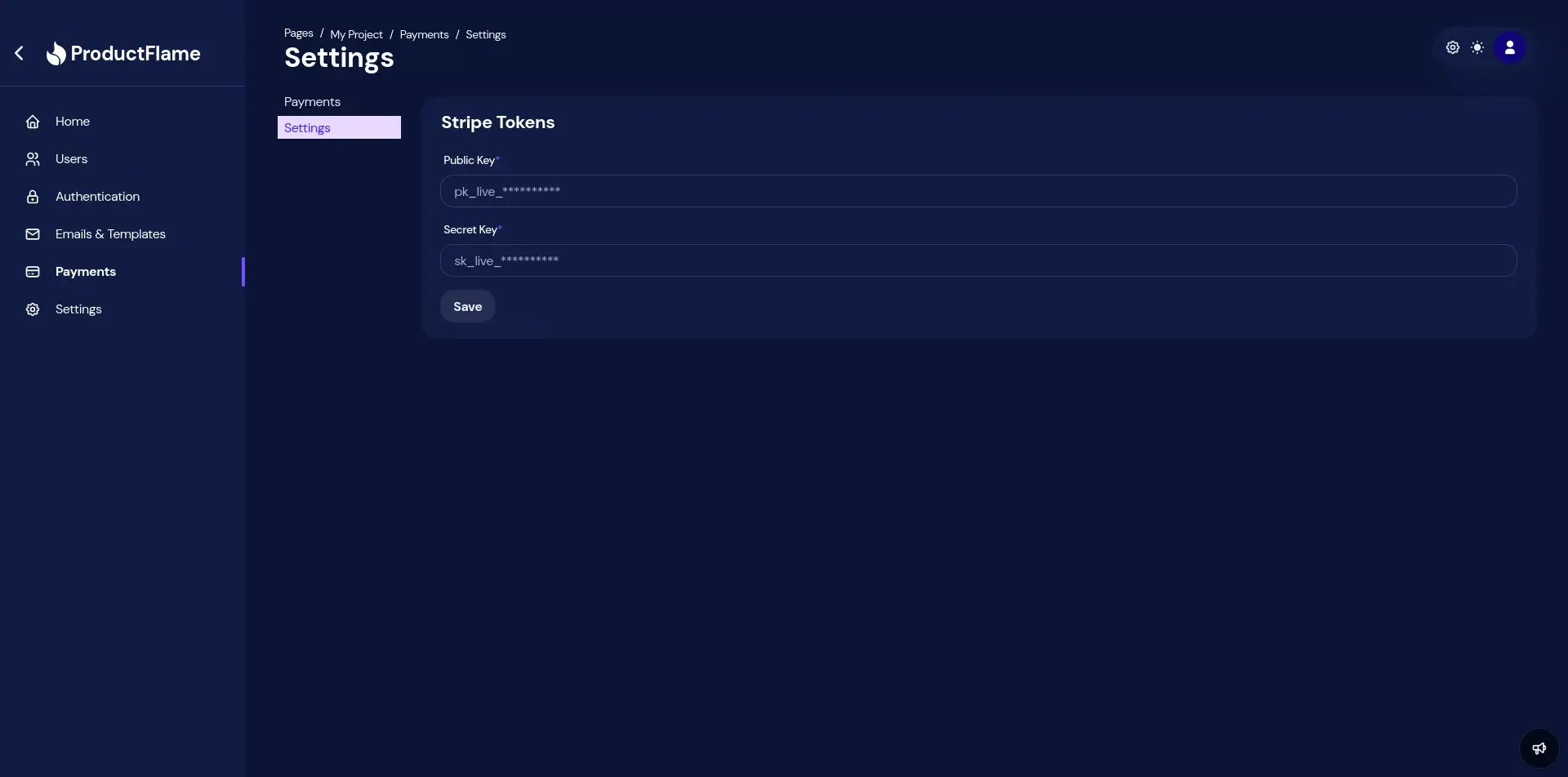
- Navigate to Payments > Settings and input your keys.
Create a new subscription
Section titled “Create a new subscription”To handle subscriptions you have to create a subscription payment method.
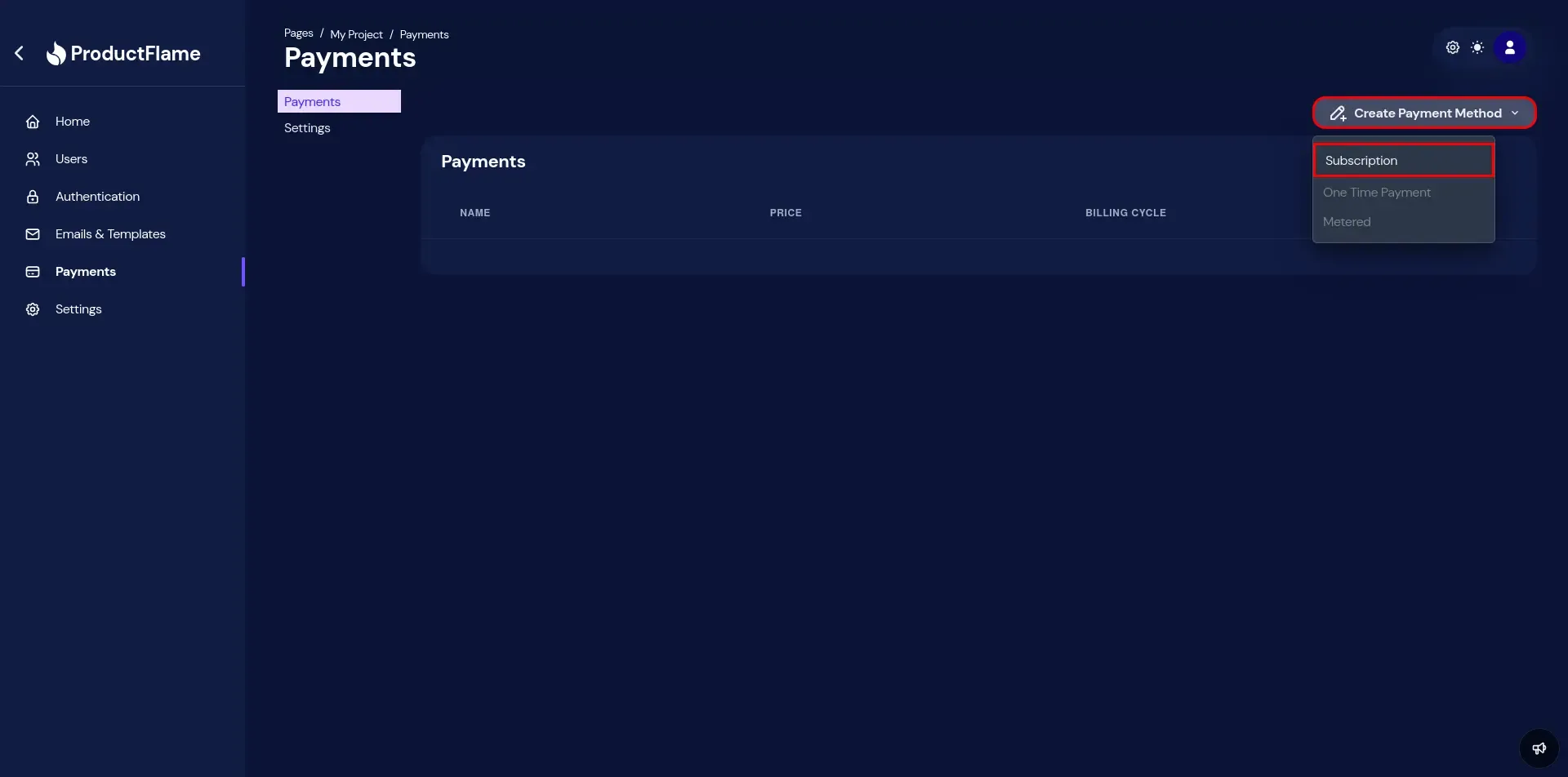
- Navigate to Payments, click Create Payment Method and select Subscription.
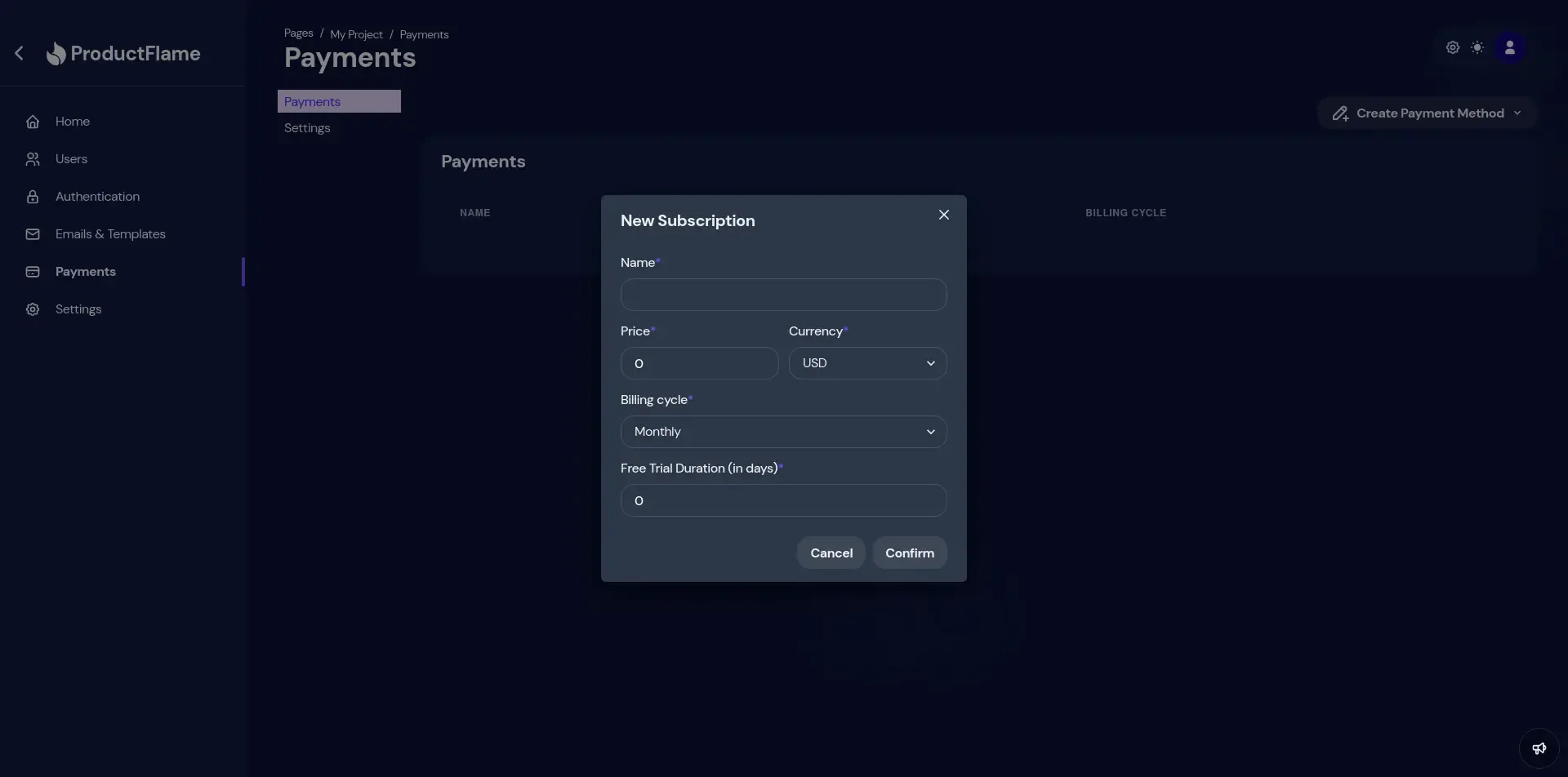
- Configure your subscription:
- Name: your subscription name. It will be used for identification.
- Price: The price of the subscription.
- Currency: The currency of the subscription.
- Billing cycle: The billing cycle of the subscription.
- Free Trial Duration: Number of free trial days. Leave 0 if you do not want to offer a free trial.